
JamWise
Free
- 5 free Guitar Pro imports when you sign in
New in JamWise
Import a Guitar Pro file, pick the part for each hand, and play it on the piano with falling notes, at your own speed.

Open web app (no sound on the web)
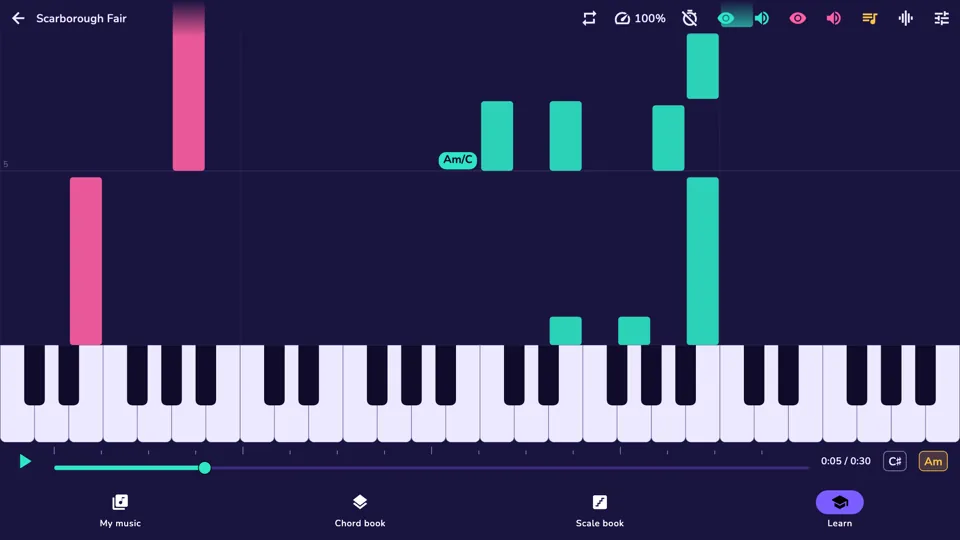
Demo, no sound: notes fall onto a piano keyboard and light up each key as they reach it, the right hand in teal and the left hand in pink. It loops the opening of Scarborough Fair, a traditional song.
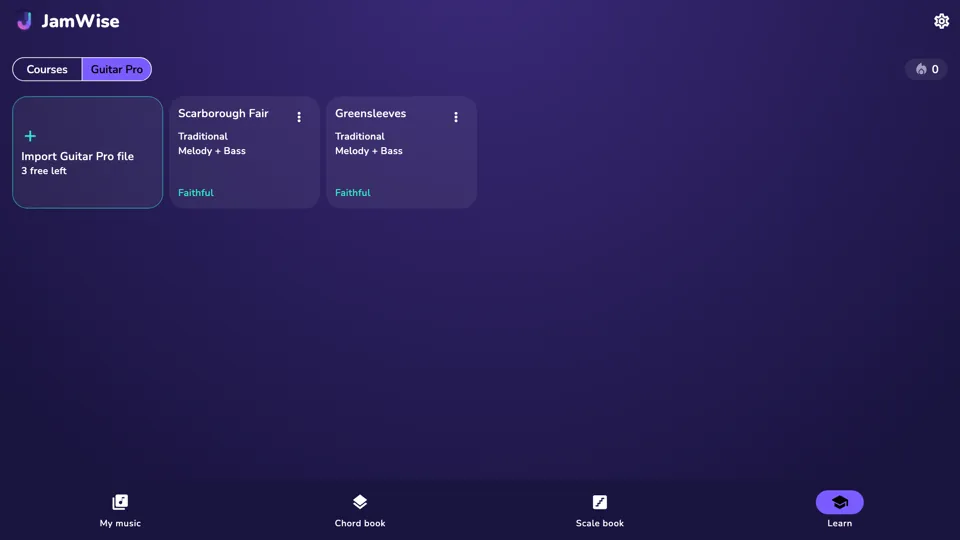
Sign in, open Learn, then Guitar Pro, and tap Import Guitar Pro file. You can also open a file in JamWise straight from Files, mail or your downloads.
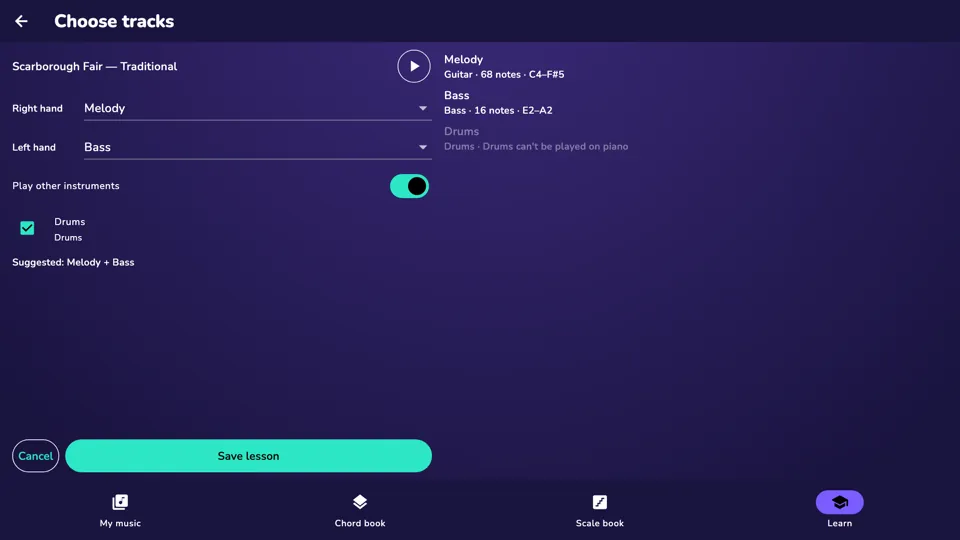
Confirm you have the right to use the file, pick the track for your right hand and, if you like, one for your left. The other instruments can play along. Preview 10 seconds, then save the lesson.
Notes fall onto the keys and you play them at your own speed. You can change the tracks later while the file is on your device.
Works with Guitar Pro 3 to 8 files: .gp3, .gp4, .gp5, .gpx and .gp.
Set a speed you can keep up with, then bring it back up as the part gets easier.
Mark a few bars and play them again and again until they sit under your fingers.
Hide or mute either hand and practise the other one on its own.
A count-in before the notes start, so you come in on time.
Turn on note names on the keys and chord names as they come.
The other instruments of the song play with you, each with its own volume. Their sounds are a one-time download.
JamWise reads the Guitar Pro file on your phone or tablet. The file is never uploaded.
Before an import you confirm you have the right to use the file. Import only files that are yours or that you have the right to use.
The lesson made from the file is private to your account and syncs to your other devices. The file itself stays where it is.
Free
$2.99 a month or $19.99 a year
Guitar Pro 3 to 8: files ending in .gp3, .gp4, .gp5, .gpx and .gp.
No. JamWise reads the file itself, so the file is all you need.
Only with Guitar Pro files you have the right to use. JamWise doesn't download tabs: you import a file that's already on your device and confirm you have the right to use it.
Drums can't be played on the piano, so you can't pick them for either hand. They can still play along with the rest of the band.
No. Lessons work in the web app, but without sound. Sound is in the iPhone and iPad app.
No. The file is read on your device and never uploaded. Only the lesson made from it syncs with your account, and it stays private.
Yes, and it works best on a tablet. On a phone, play in landscape.
Yes, on iPhone and iPad with JamWise Plus. Connect a piano over Bluetooth MIDI and the lesson waits for each note you play. Without MIDI you can still play along on any piano.
Install JamWise, open Learn, then Guitar Pro, and import a file you have the right to use.
Open web app (no sound on the web)